
Hip-Hop Album Cover Generator
Hip-hop cover art carries more weight than in any other genre: the cover is the persona. From the photo-driven classics of the 90s to today’s hyper-stylized digital portraits, a hip-hop cover has to put the artist front and center and make a statement before a single bar lands. Our generator is tuned for exactly that — upload a selfie and it transforms you into the centerpiece of a bold, release-ready cover instead of producing generic abstract art.
Type the mood of the record — dark and cinematic, luxurious and gold-lit, gritty and documentary — and pick from presets built on the visual language of hip-hop: high-contrast portraits, chains and texture, smoke, neon, VHS grain, or clean minimalist type treatments. Your name and title render natively in the artwork with fonts that fit the genre, so you skip Photoshop entirely.
Covers generated with AlbumCover.Art
Real outputs from the generator — every export is 3000×3000 and release-ready.
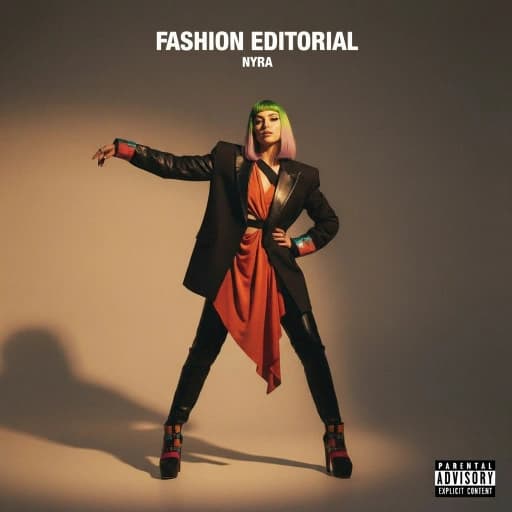
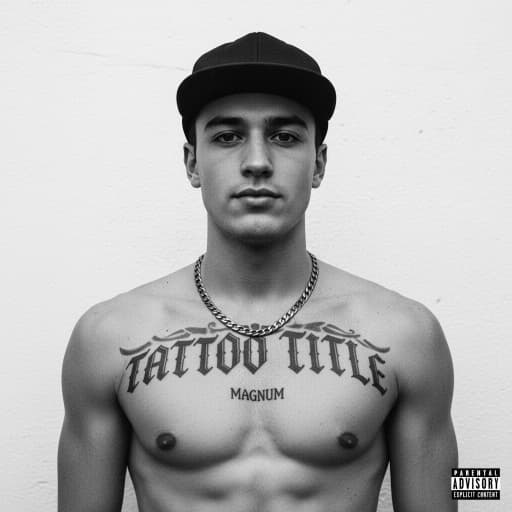
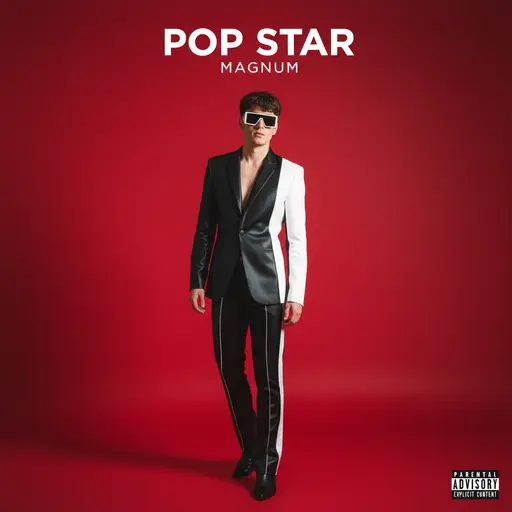
What makes a great hip-hop cover
The strongest hip-hop covers share a few traits, and the presets are built around them:
The artist as the focal point
Most iconic rap covers are portraits. The generator keeps your likeness recognizable while restyling lighting, wardrobe, and atmosphere around you.
Confident, oversized typography
Heavy condensed sans-serifs, graffiti-influenced scripts, or old-english blackletter — rendered into the design, not slapped on top.
Mood-first color grading
Drill calls for cold desaturated blues, trap for saturated neon against black, boom-bap for warm film tones. Describe the sound and the palette follows.
Texture and grit
Film grain, halftone print, scratched VHS, chrome — details that separate a real cover from a clean-but-empty AI image.
How to make a hip-hop album cover with AI
Upload a selfie or describe the concept
Drop in a portrait to be transformed into the cover, or describe the scene in plain English — “rapper in a fur coat under sodium streetlights, 35mm film” works.
Pick a hip-hop preset and add your title
Choose a style direction, then type your artist name and track or album title. The text is rendered as part of the artwork with genre-appropriate type.
Refine and export at 3000×3000
Lock the style you like, run variations, and download a square 3000×3000 cover that passes Spotify, Apple Music, and DistroKid checks first try.
Release-ready by default
Every cover exports as a square 3000×3000 image — Apple Music's recommended size, well above Spotify's 640×640 minimum, and exactly what DistroKid, TuneCore, and CD Baby expect. You own the artwork, and commercial use is included on every plan.
Hip-Hop Covers: frequently asked questions
Yes — that is the most common workflow. Upload a portrait, pick a hip-hop preset, and the generator restyles the lighting, wardrobe, and atmosphere around you while keeping your face recognizable, so the cover still reads as you.
Yes. The output is a square 3000×3000 image, which is the same format streaming platforms use for singles, EPs, mixtapes, and albums. Style locks let you keep a consistent look across a whole rollout.
Yes. Describe the subgenre or its mood in the prompt and the generator adjusts palette, lighting, and texture — cold and desaturated for drill, neon-on-black for trap, warm film grain for boom-bap.
Yes. Every plan includes ownership and full commercial rights, so you can release the cover on streaming platforms, print it on merch, and use it in promo without extra licensing fees.