
Pop Album Cover Generator
Pop artwork is era-driven: every release cycle has a look, a palette, and a typography mood that the whole campaign hangs on. The cover is not just a sleeve — it is the visual thesis for months of singles, lyric videos, and social content. This generator helps you find that thesis fast: generate wide, explore radically different directions in minutes, then lock the winner as the identity for the entire era.
Pop pulls from everywhere — Y2K gloss, 80s synth pastels, hyperpop chaos, clean Scandinavian minimalism — and the presets cover the spectrum. Portraits stay polished and likeness-true, colors stay saturated without tipping into noise, and your name and title render in confident contemporary type that holds up on a billboard or a 64-pixel thumbnail.
Covers generated with AlbumCover.Art
Real outputs from the generator — every export is 3000×3000 and release-ready.
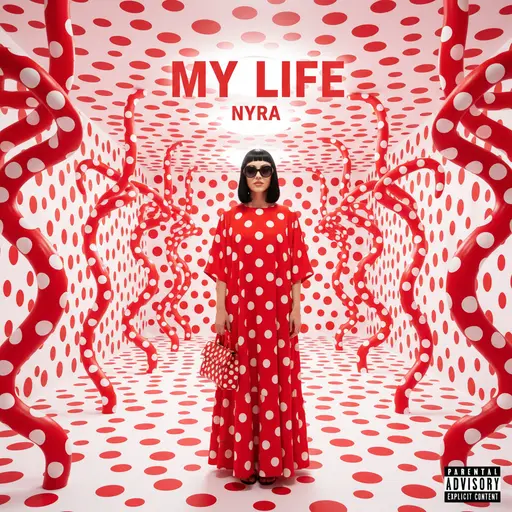
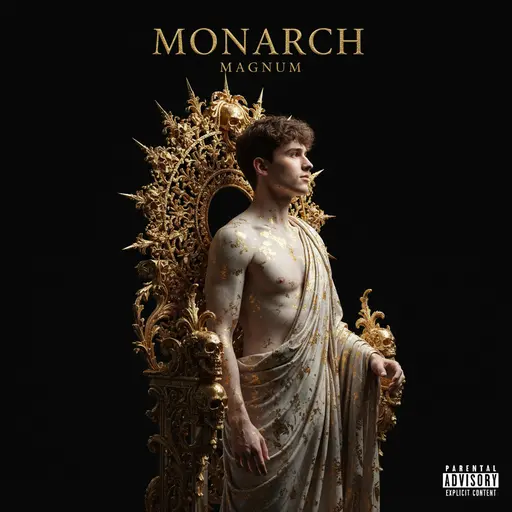
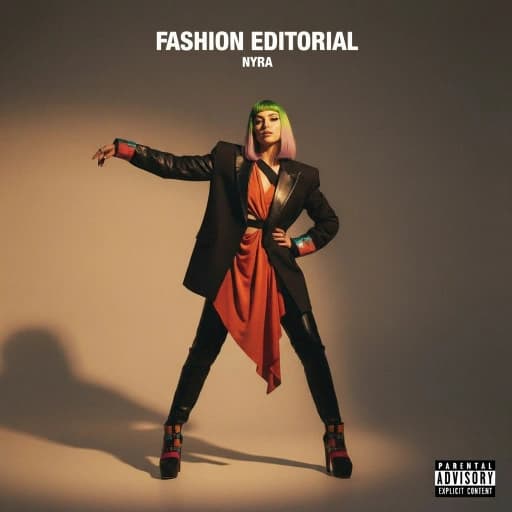
Finding the look for your era
Pop covers succeed on polish and concept. The presets are built for both:
High-gloss portraiture
Studio-lit, magazine-finish portraits with clean retouching — the default language of mainstream pop covers.
Era aesthetics on tap
Y2K chrome and gloss, 80s pastel synth, 60s technicolor, hyperpop saturation — try a different decade per variation until the era clicks.
Concept-first art direction
A single bold idea — one prop, one color, one gesture — reads better than a busy frame. The presets push toward iconic, not cluttered.
Campaign-scale consistency
Lock the era’s look and generate matching art for every single, remix, and acoustic version in the rollout.
How to make a pop cover with AI
Explore directions wide
Generate across several era presets with the same selfie or concept — minimalist, Y2K, retro — and see which direction owns the song.
Commit to the era
Pick the winner, refine palette and styling, and add your name and title in contemporary type that anchors the whole campaign.
Generate the rollout and export
Produce matching covers for every single in the era, each exported at 3000×3000 for streaming, press, and print.
Release-ready by default
Every cover exports as a square 3000×3000 image — Apple Music's recommended size, well above Spotify's 640×640 minimum, and exactly what DistroKid, TuneCore, and CD Baby expect. You own the artwork, and commercial use is included on every plan.
Pop Covers: frequently asked questions
Yes — that is the recommended workflow. Generate the same concept across different era presets in minutes, compare side by side, and lock the direction that fits the record before producing the full rollout.
Yes. The pop presets are tuned for saturated palettes that stay clean — bold color without the muddy, oversharpened look that gives AI art away.
Yes. Style locks keep every single, the album, and the deluxe edition inside one visual identity, which is exactly how major-label pop campaigns are art-directed.
Yes. Using the same reference selfie with a locked style keeps your likeness consistent from cover to cover, so the era reads as one artist, not five.